How to Choose H5 Games for a Short Break
A short browser session works best when the game explains its goal quickly, loads without extra steps, and gives you a clean result in a few minutes. Look for games with one main action, readable controls, and a round structure that does not punish a first attempt too heavily. Puzzle, runner, and casual arcade games are often good choices because they let you learn the rule, try once, and return later without losing context. On VGEFG, detail pages describe the basic play style before you start so you can choose a game that matches the amount of attention you actually have.
Start with the time you actually have
A good short-break game should fit the pause in front of you instead of asking for a full session. If you only have a few minutes, choose a title with one clear target, an immediate restart, and controls that can be understood in the first attempt. Runners, light puzzles, stacking games, and simple timing challenges usually work well because they create a quick loop: learn the rule, make a decision, see the result, and improve on the next try. Avoid opening a complex strategy game when your attention is split, because the first minutes may be spent understanding menus rather than enjoying play.
Look for readable feedback
The most useful H5 games make progress easy to read. A score counter, a visible route, a level objective, or a clear success animation tells you whether the round is going well. This matters in short sessions because you do not want to guess what the game expects. Before choosing a game, read the detail page and ask whether the goal sounds obvious. If the description mentions timing, matching, jumping, steering, or placing objects, you can usually understand the first round quickly. If it sounds like several systems are competing for attention, save it for a longer session.
Choose by control comfort
A short game still needs controls that feel comfortable on your device. On a phone, games with tapping, swiping, dragging, or simple lane changes tend to feel better than games that need very precise aiming. On desktop, racing and action games may feel stronger because a keyboard or mouse gives more control. The point is not to avoid challenge; it is to avoid fighting the interface during a quick break. VGEFG detail pages separate the game overview from the play screen so you can choose a title that matches your device before loading it.
Build a small personal rotation
Instead of opening a different game every time, keep a small rotation of three or four reliable titles. One can be a fast arcade game, one can be a puzzle, one can be a relaxed creative task, and one can be a sport or racing game. This makes short breaks more satisfying because you already know the basic controls and can use the session to improve one habit. A smaller rotation also helps you notice which games load smoothly on your browser and which ones are better saved for another device.
Common mistakes to avoid
The most common mistake with this topic is choosing a game only because the title looks familiar. A better approach is to match the game to your device, your available time, and the kind of attention you want to spend. Visitors should avoid opening several play screens at once, ignoring the detail notes, or judging a game only by the first few seconds. For how to choose h5 games for a short break, the useful habit is to read the page first, start with one simple goal, and decide after the first attempt whether the controls and pace fit the moment.
Mobile and desktop considerations
The same H5 game can feel different on phone, tablet, and desktop. Mobile works best for tapping, swiping, matching, styling, and short reaction patterns. Desktop is usually better for games with wide routes, precise aiming, quick keyboard input, or crowded screens. Tablet sits between those experiences and can be a strong choice for puzzle and creative titles. Before assuming a game is poor, consider whether the device is creating the friction. VGEFG keeps these notes separate from the play screen so visitors can choose more deliberately.
Recommended VGEFG route
A practical route is to start with one guide, open two or three related detail pages, and compare their goals before playing. Good starter titles from the selected library include Filled Glass 2 No Gravity, MONSTERS JUMPER, Make A Roller Coaster. Read the overview and editor notes, then choose the game whose challenge sounds clearest. After playing, return to the category page or Editor Picks page to find a similar title with a slightly different rhythm. This turns the site into a guided library rather than a list of unrelated play buttons.
How to use this guide
Use this guide as a decision tool rather than a rulebook. Start with the section that matches your current question, then compare it with one category page and one game detail page. If the guide discusses device comfort, test a mobile-friendly game first. If it discusses mood or attention, choose a title whose overview uses the same kind of language. This pattern gives each visit a clear path: read, compare, play, and return with a better idea of what to try next.
Quick checklist
- Choose a game that matches your device and available time.
- Read the detail page before opening the play screen.
- Use the first round to learn controls, timing, and the main goal.
- Switch categories when the current game no longer fits your mood.
Where to go next
Use the related game notes below to compare different play styles, then open a detail page when you want a specific goal, control summary, editor notes, and strategy tips before launching the play screen.
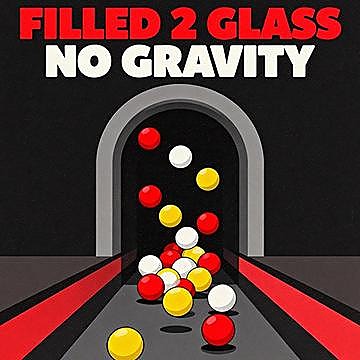
A new session of Filled Glass 2 No Gravity begins with a simple objective, then asks you to build confidence through logic, observation, and clean.
Puzzle
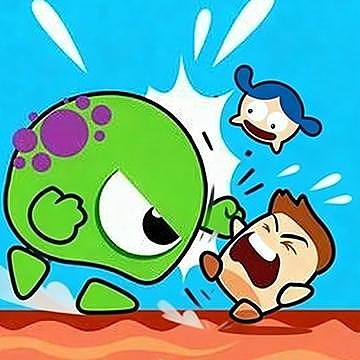
In MONSTERS JUMPER, the smallest choices can matter most: this casual game is built around reaction speed and route reading. Jump and bounce through.
Casual
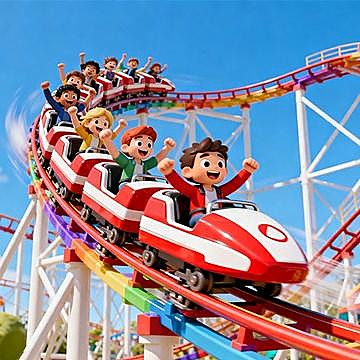
Make A Roller Coaster gives players a focused girls challenge where creative choices, task order, and relaxed completion determine how smoothly a round.
Girls

The appeal of Run Fast comes from its balance of accessible controls and movement control, timing, and fast recovery. Run as fast as you can in this.
Racing
